



EAs, News Trading, Hedging, Copy Trading: What Prop Firms Allow

As a trader, you might have searched for prop firms that allow EAs or prop firms that allow news trading. You may also search for prop firms that allow hedging and prop firms that allow copy trading to cover all your bases.
You’re not alone. Many traders do the same because they want related add-ons in their day-to-day trading activities. But know that a prop firm can greenlight a tool and still restrict how you use it.
OneFunded pays close attention to all your trades before sending a payout. Most times, there’s no issue, as the trader didn’t do anything wrong. But there are instances where a trader breaks a caveat, and that costs them a payout. This guide highlights what OneFunded permits, what gets checked, and what breaks rules.
When a prop firm tells you through its T&Cs that a strategy is “allowed,” it means the tool works as it should. However, that doesn’t mean you can use it how you want to.
The issue is abuse. Abuse is using a tool to win in a way not connected to your trading skill. Prop firms like OneFunded fund your trading skills, not tricks that’ll see you win regardless of price direction.
Traders fall into one of these three groups at prop firms when they use tools:
The example situations outlined in this guide will feature these three tiers. They’ll show you where the lines are.

Most prop firms that allow news trading watch the minutes around big reports. This includes the US jobs report, inflation figures, or interest rates.
What OneFunded Allows: News trading at every phase, from the challenge stage right up to when you get a funded account.
What Gets a Closer Look: Trades made 5 minutes before and 5 minutes after high-impact news are closely monitored. Trades within this timeframe aren’t banned. The team watches related activities closely.
What Breaks the Rules: Using the news to get a quick advantage instead of using a trading plan. The rules ban placing trades before big news to exploit price gaps or slippage. They also ban using higher than usual sizes during big news.
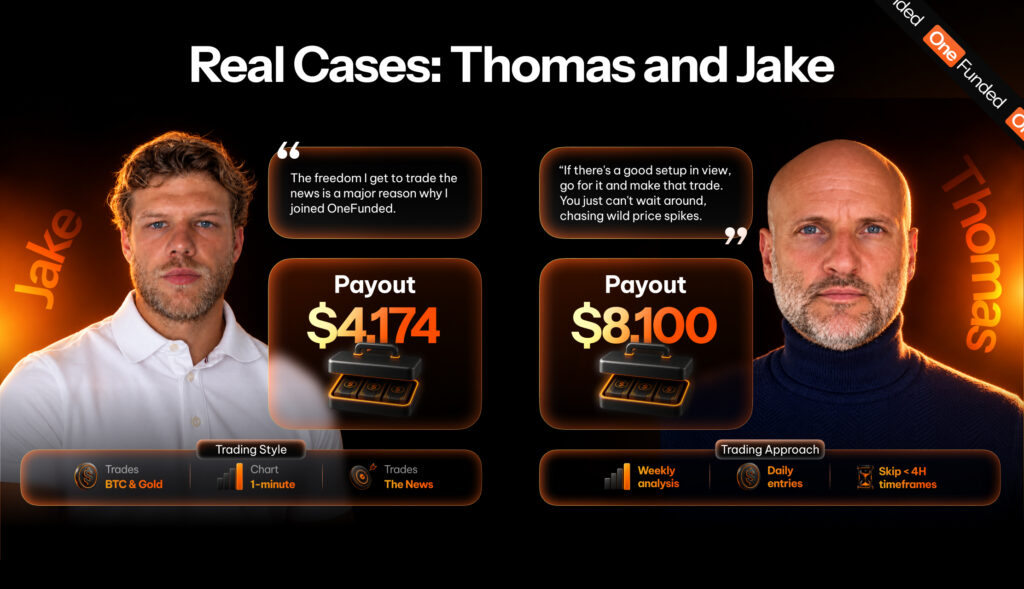
Thomas is a OneFunded trader who recently got a payout valued at $8,100. When asked about the rules he appreciated on the platform, he mentioned the news trading rule first.
His view? If there’s a good setup in view, go for it and make that trade. You just can’t wait around, chasing wild price spikes. For him, chasing spikes isn’t trading but gambling.
Thomas’s style shows why he feels that way. He starts with the weekly chart and proceeds to the daily. He skips all charts under the 4-hour timeframe.
Jake, another OneFunded trader, trades gold on the 1-minute chart. He says that the freedom he gets to trade the news is a major reason why he joined OneFunded.
As you can see from both accounts, Thomas and Jake trade on a plan, not a spike. That’s why they’ve been able to request payouts that OneFunded processed without hiccups.
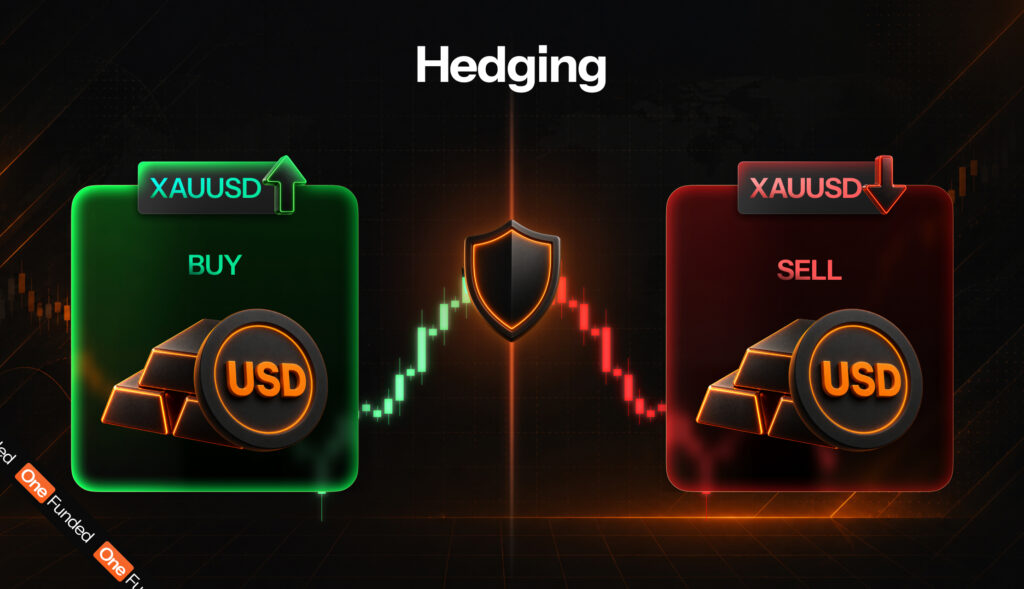
Most prop firms that allow hedging ban it across different accounts. Hedging is holding a buy and a sell on the same thing at the same time. Most traders go this route because if one trade loses, the other will win.
You can hedge within an account without issues. You’ll be able to open positions in different directions on the same instruments within one account.
When you hedge within one account, other rules will still apply. This includes the daily loss limit and max exposure rules. That said, if you stack orders at set gaps for no reason, you’re grid trading, and that’s banned at OneFunded, along with martingale systems that increase size after a loss.
You can’t hedge between accounts. OneFunded’s T&Cs ban the following:
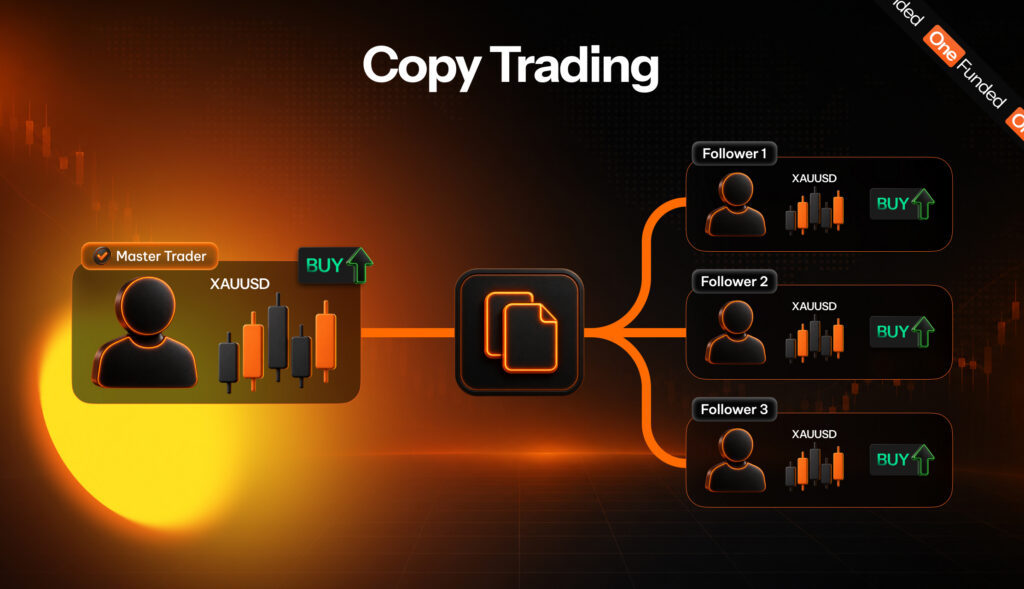
Most prop firms that allow copy trading permit it when it’s between accounts you own. Copy trading means one trade gets copied on other accounts. But who you copy from determines whether it’s a T&Cs breach or not.
You can copy trades between accounts you own. This is allowed as long as these accounts are in your name. But note that each account has its own daily loss limit, and one bad trade can hit all your accounts in one swoop.
The rules don’t allow copying trades from external sources unless OneFunded gives you a written authorization. These sources include Telegram or Discord groups, social trading applications, AI tools, and other traders on OneFunded.
You also can’t allow anyone to use your account and make trades for you so that you’ll pass. OneFunded funds you, and you alone.
Fauzi is a OneFunded trader from Indonesia. He started trading in 2018 by copying signals sent from a signal provider.
But in 2021, those signals stopped out of the blue. He didn’t know how to trade, so he learned. Now, he trades gold after his 9-5 job with a plan that has helped him get two payouts from OneFunded.
The person you copy trades from can stop trading when you least expect it. If you don’t have the technical know-how of trading, you’d most likely lose money. But if you learn its ins and outs, your skill stays with you. No one can take it away. This skill set is what OneFunded credits you for.
Getting a signal and copying it yourself still counts as copy trading. When many traders open a specific pair in the same minute, OneFunded categorizes that as group trading.
In one case, a trader who had completed an evaluation was not moved through to the funding stage. An independent review found that trades had come from outside trading groups and bots, and that breach meant the account could not be funded.
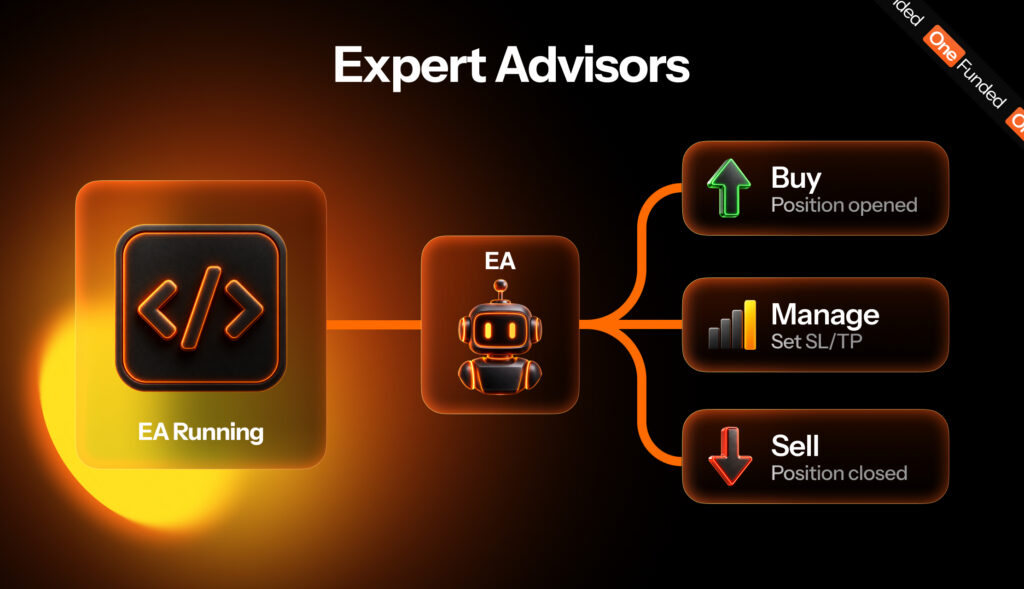
Not all prop firms that allow EAs have the same terms and conditions about how to use them. An EA (or Expert Advisor) is a small program active within your trading platform. On cTrader, they’re called cBots. Some EAs will help you to make trades. Others trade for you. There’s a big difference between the two.
What OneFunded Allows: The prop firm permits the use of helper EAs. However, you can only use them when you get a written approval from OneFunded. A helper EA does the work, but all trading decisions are left to you. This EA variant can calculate your lot size, add a stop loss to trades, or close active trades if you’ve lost past a set amount in a day.
What OneFunded Doesn’t Allow: EAs that spot trades and open them without your input are banned. OneFunded wants you to control what you trade, your risk amount, and how big trades get.
How to Get Approval: Before you can enable any EA, reach out to OneFunded support via email. Provide the EA’s name and how it works. Wait for them to give you a written confirmation. Once you get this approval message, store it for your records.
| Strategy | Fine | Gets a Closer Look | Breaks the Rules |
| News Trading | Trades that align with your normal plan, held through high-impact news with a stop loss in place. | Trades made 5 minutes before and 5 minutes after high-impact news breaks | Chasing price jumps, taking advantage of gaps or slippage, or using a lot size that’s way higher than usual |
| Hedging | A buy and sell order on the same thing within one account | Opposite orders on pairs that move together | Opposite trades across different OneFunded accounts, other brokers, or other traders |
| Copy Trading | Copying between accounts that link back to you | Matching trades with other traders on the same instrument and at the same time | Copying signal groups, external copiers, or letting someone else trade for you so you have an edge |
| EAs (Trading Bots) | Helper EAs approved by OneFunded for setting lot size and stop loss | Trades that open at the same moment and have the same size, like a bot | Bots that search for and open trades without manual input, or any EA used without prior approval |
Besides the strategies highlighted in this guide, there are four more that sit beside them. They include:
Here’s what happens, step-by-step:
If you didn’t breach any rule, you’d get paid. But if any of your trades broke any, OneFunded can reject the payout or close your account (temporarily or permanently). If you don’t want any of these scenarios to pop up, do all you can to check the rules before you start trading.
Here’s what you need to do before you start prop trading at OneFunded:
Still undecided about what prop firm to use? Read this guide on how to choose a prop firm in 2026.
Once you understand the rules, you can use tools without breaching T&Cs. At OneFunded, you can run approved helper EAs, trade the news, hedge within a single account, and copy trades between accounts you own. All these remove loopholes some traders use to their advantage.
Before you take any trade, ask yourself this question: “Does this show my skill, or does it look like I’m trying to game and beat the system?” If you can’t answer this question confidently, ask OneFunded support before you click.
Know which tools you’ll use? Pick a OneFunded challenge that suits your trading goals. Plans start at $29, and there’s no deadline for you to pass an evaluation.

Yes, but each firm has its rules on EAs. If you trade at OneFunded, email support with the EA's name and a description of how it works, and wait for written confirmation before you enable it. Keep that confirmation. Using an EA without prior approval can cost you the account.
OneFunded allows you to trade the news on both a challenge and funded account. The team monitors trades 5 minutes before and 5 minutes after high-impact news breaks.
Yes, as long as every account is in your name. Copying from anyone else needs written authorisation, and that includes signal groups, social trading apps, third-party copiers and other OneFunded traders. Remember that each account keeps its own daily loss limit, so one bad trade copied across several accounts hits all of them.
OneFunded lets you hedge within your account. The prop firm bans hedging across different accounts, with other brokers, or with other traders.

Are prop firms legit? While some are, some aren’t. However, you can tell whether they’re legit or not if you...

You passed a prop firm challenge. Congratulations. But doing that just taught you a set of rules. Once you’re funded,...

Most, if not all, traders want to enjoy the massive capital opportunity that a proprietary trading firm, or prop firm,...
 Set Preferred on Google